Space Word Search
word search · ages 5-8 · easy
Rapi Stack, Buenos Aires · Published July 6, 2026

Solve this exact puzzle on screen — free, nothing to install.
Add a name, change the title, edit the list and print your own version — free, in your browser.
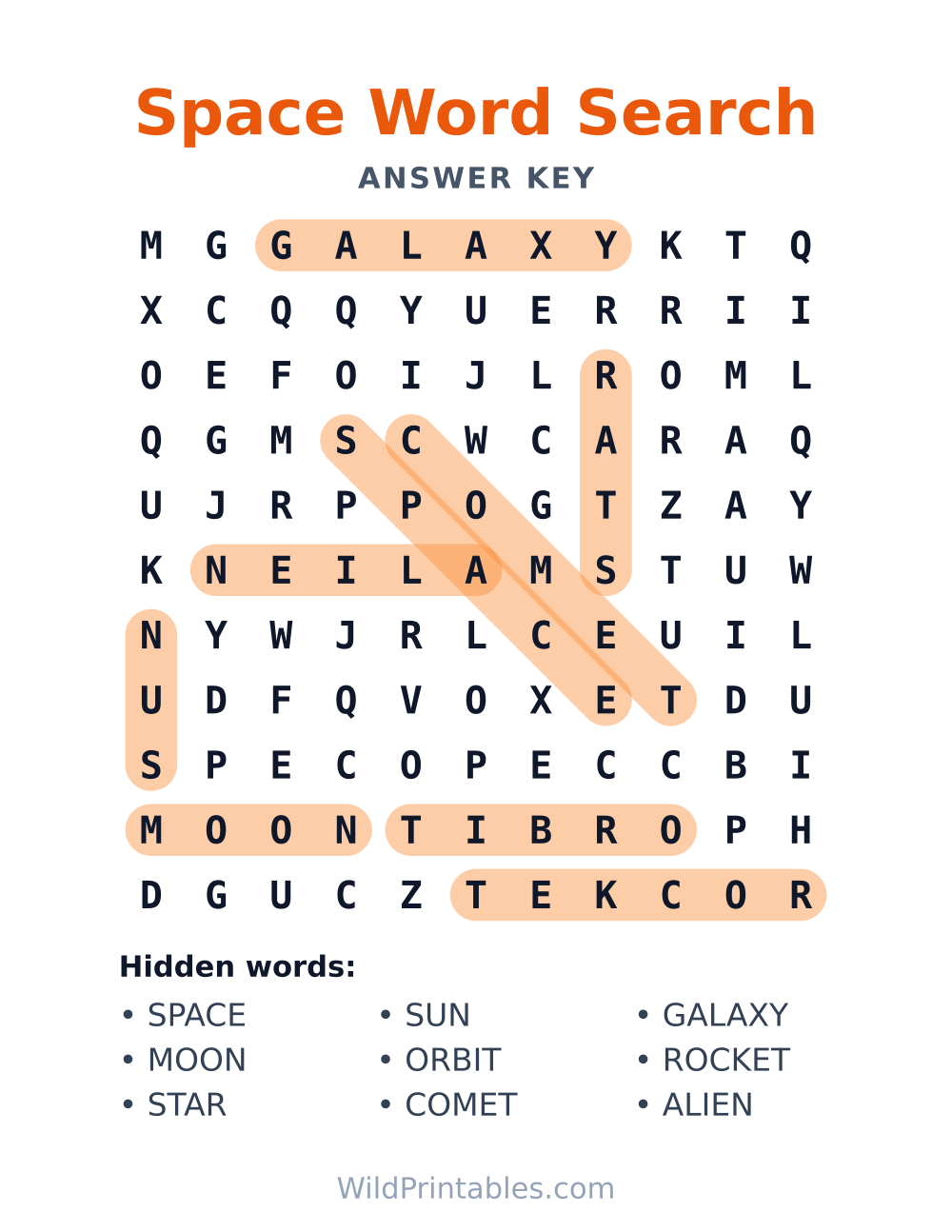
Oh my goodness, a Space Word Search! This is like a treasure hunt for little astronauts, where instead of digging for gold, they're searching for words hidden in a starry grid of letters. It's so much fun to find words like "moon," "star," or even "rocket" nestled amongst all those alphabet friends, and then proudly circle them with a chunky crayon!
Here's my tip for making it extra special: before you start, gather some space-themed stickers or even just draw a few little stars on a separate piece of paper. Each time your child finds a word, they get to place a sticker or color in a star. It’s a wonderful way to keep them engaged and celebrate every discovery!
Teacher notes
Skills practiced
- Letter recognition and visual scanning
- Spelling and sight-word practice
- Directional reading: across, down and diagonal
- Vocabulary: using each found word in a sentence
Suggested use in class
- Spelling-list review on the day before a quiz
- Pair work: one partner reads the word, the other hunts for it
Time estimate
10–15 minutes
Materials
- Printed page
- Pencil or highlighter
Download & print — it's free
US Letter (8.5×11"). Print at home, no sign-up needed.
Tip: set your printer to “Fit to page” for best results.
Includes answer key (page 2 of the PDF)
Print just page 1 for the puzzle, or both pages to keep the solution handy for checking.
Show answerHide answer
More printables you'll like


Frequently asked questions
Can we play it as a group activity?
Yes — print a copy per child and race, or share one page and take turns finding a word each. In a classroom it works well as an early-finisher task or a calm start-of-day settle-in activity.
Is this word search too hard for a new reader?
New readers can absolutely play — hunting for letter patterns works even before fluent reading. Help them find the first letter of a word, then let them check the next letters themselves. It's pattern-matching first, reading practice second.
How do printables fit alongside schoolwork for this age?
Think of them as the fun cousin of homework: same skills — focus, pencil control, following through — zero grading pressure. They're perfect for after-school decompression, early-finisher folders and screen-free weekend mornings.
Why does the page look cut off when I print?
That's almost always a scaling setting. In the print dialog choose "Fit to page" (or 100% if your printer handles margins well) and make sure the paper size is set to US Letter. Printing from the downloaded PDF, rather than the browser preview, also gives the cleanest result.